
Microsoft Teams Phone Salesforce Integration
Automatically log Teams calls and keep reps working in Salesforce
Handle Teams Phone calls in Salesforce, keep Teams as your phone system, and log activity automatically even when reps answer in Teams.
Keep calls and customer context together in Salesforce
Answer in Teams desktop or mobile and still capture activity
No separate calling platform in the middle
Trusted by top companies




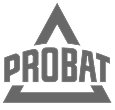





Stop splitting calls and customer context across tools
Your team should not need Salesforce in one window and Teams or a phone in another. Unaric brings Teams calling into Salesforce, so reps can handle calls and customer work without bouncing between tools.
%20copy.png)
%20copy%202.png)
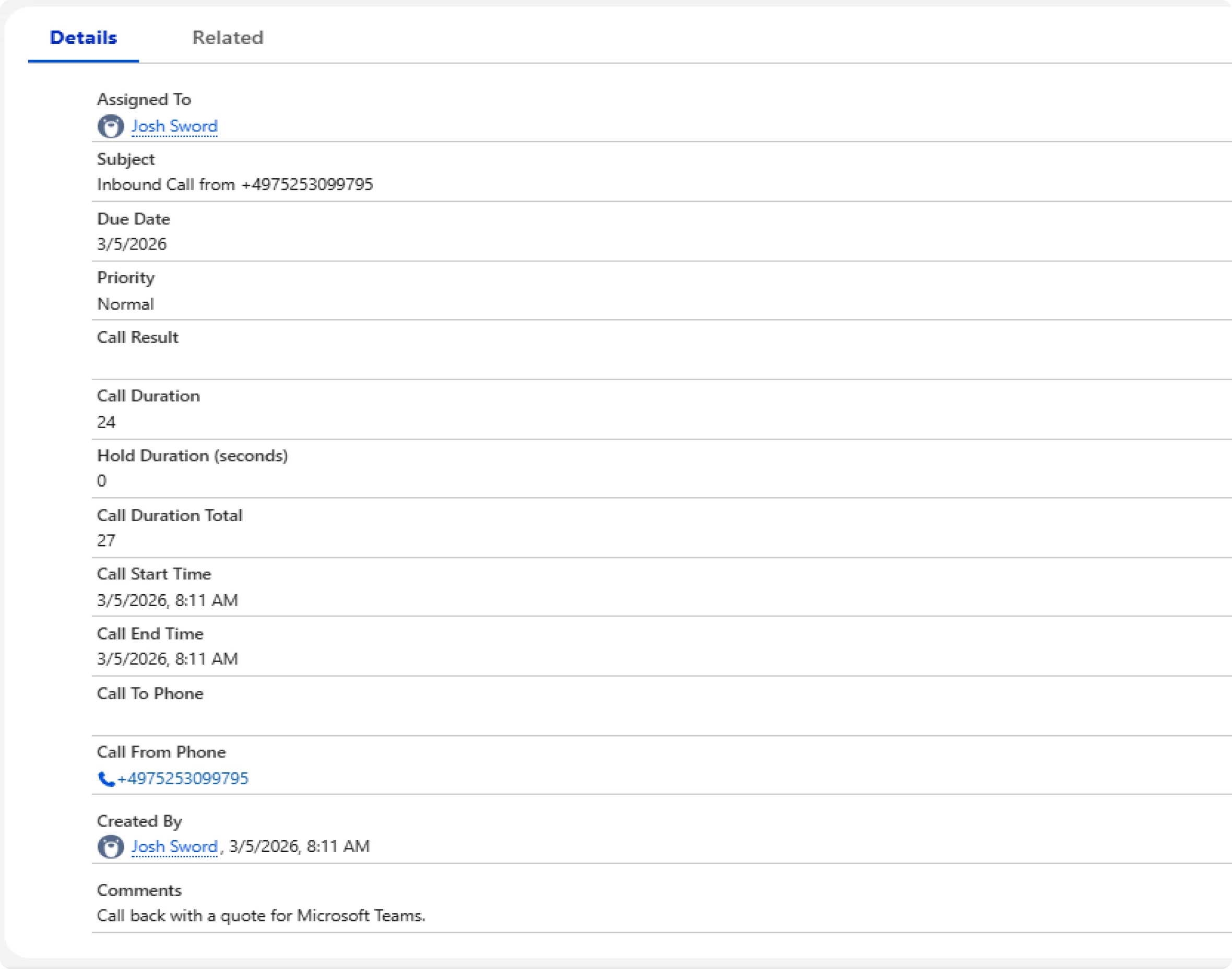
No more chasing reps to log calls manually
Reps should not have to click through extra steps after every call just to keep Salesforce accurate. Unaric logs call activity automatically, so capture does not depend on rep follow-through after every conversation.
Every call is logged, even when reps answer outside Salesforce
Call activity saves to the Salesforce record whether reps answer in Salesforce or in the Teams app on desktop or mobile, so you don’t lose data or have to enforce rules about where people answer.
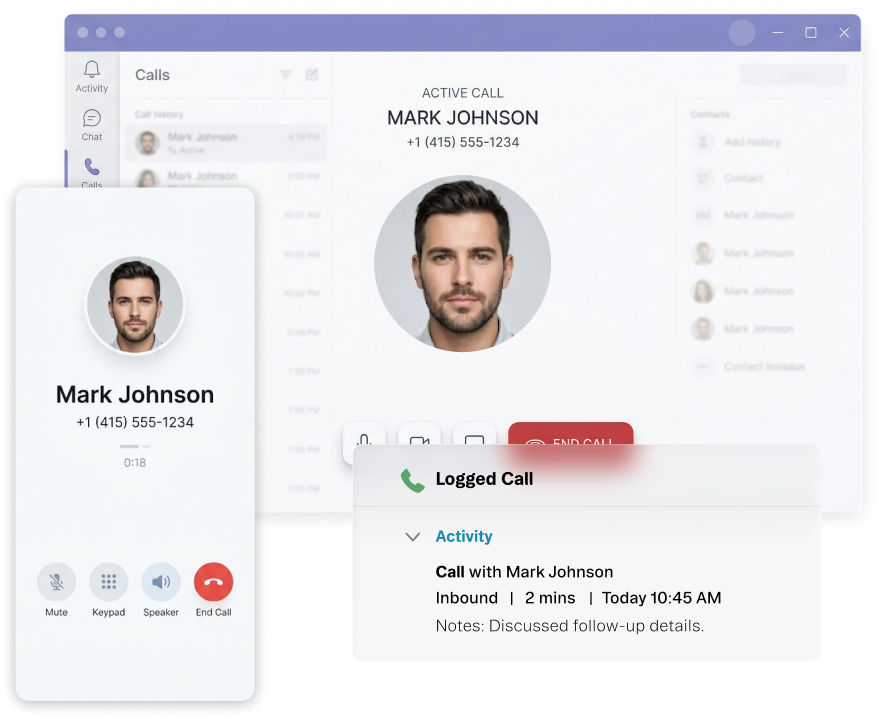
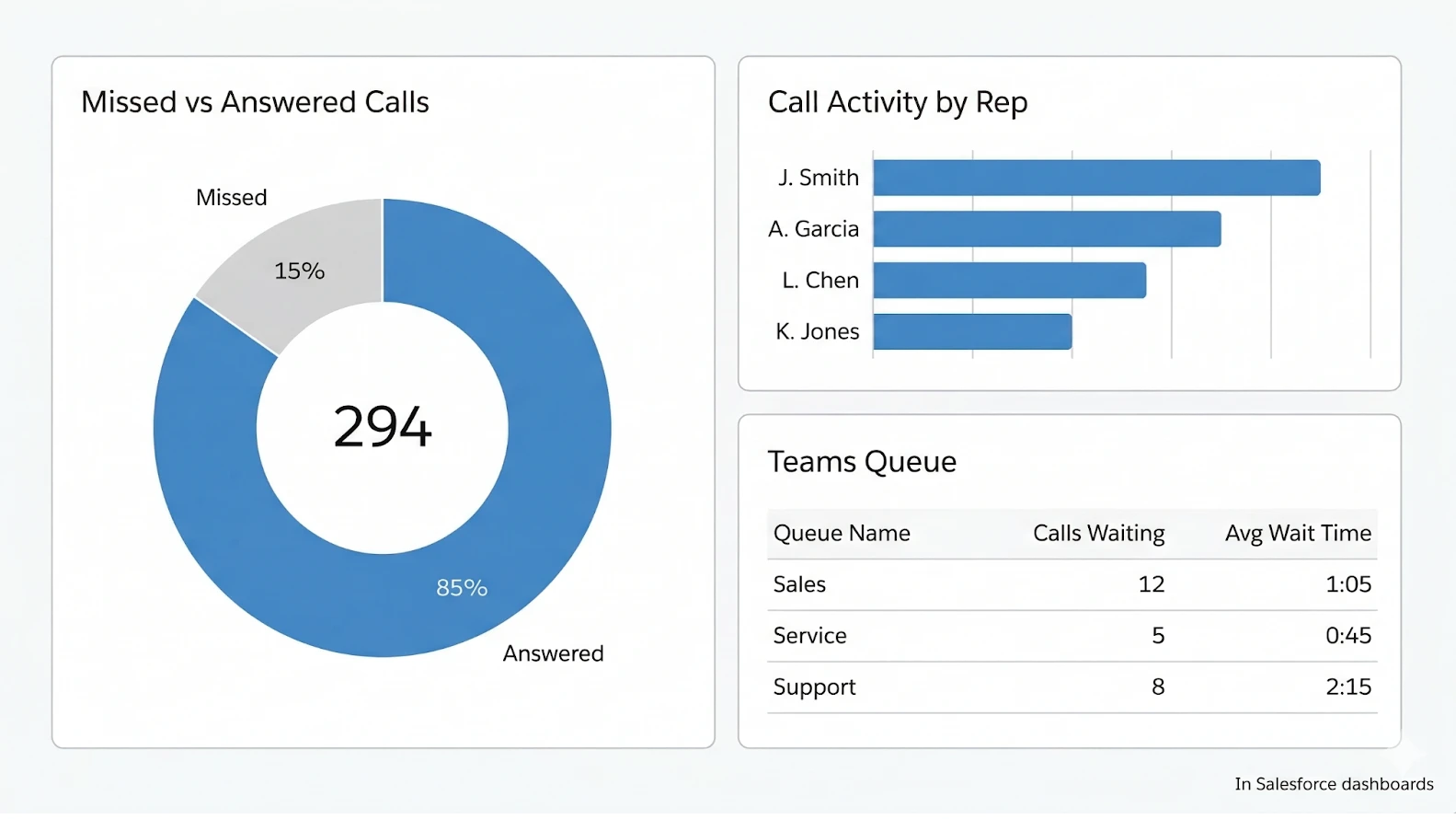
Give managers activity data they can trust
When logging depends on reps remembering an extra step, the data is always in doubt. Unaric captures activity automatically, so managers get a clearer view of call volume, rep activity, and team performance.
Keep your Teams setup. Prove fit quickly.
Keep your Teams phone setup as it is
Teams stays where IT manages numbers, queues, routing, caller ID, and policies. Unaric brings call activity into Salesforce without another calling platform or a telephony rebuild.
Keep call media in Teams, not in another platform
Call media stays in Microsoft Teams. Unaric is not in the audio path and does not store call audio in a separate database. Teams remains the calling environment, while call records sync into Salesforce.
Get to first proof in days, not months
This should not turn into a heavy deployment project. If you already run Teams Phone, you can get a first team live quickly, validate logging in your own environment, and prove fit before a wider rollout.
Native vs a third-party calling platform
Third-party calling platform
Unaric native
Where calling is managed
Queues and routing get split across systems.
Teams stays the place you manage queues, routing, caller ID, and policies.
What IT has to run
Another console, plus duplicated setup and access to maintain.
No extra console. Teams Admin Center stays in charge.
Salesforce logging
Logging can end up with gaps when reps answer in the Teams app (desktop or mobile).
Calls log on the Salesforce record even when reps answer in Teams.
Where call media lives
Call media and recording workflows can involve another platform or storage layer.
Call media stays in Microsoft Teams. Unaric is not in the audio path.

Prove fit before wider rollout
Unaric gives your team a low-risk way to validate fit in your own environment before a broader rollout.
Validate before full deployment
Get the first users live without a telephony rebuild
Give IT and Ops a safe way to confirm fit early
Many teams can prove fit in a short 7 to 14 day validation window
You’ll get the most value from Unaric if:
Already use Microsoft Teams Phone, or you’re rolling it out now
Plan to stay on Salesforce long term
Want to handle Teams calls inside Salesforce without adding a third-party calling platform
Have 15 or more users who need calling and Salesforce logging to stay complete
Pricing
From $47 per user/month
15-user minimum.
Teams Phone inside Salesforce
The right record opens automatically on inbound calls
Calls log to the Salesforce record even when reps answer in Teams
Volume discounts available. Enterprise pricing on request.
FAQs
Book a 30-minute demo tailored to your setup
Fill this out and you’ll be able to choose a time instantly.
What to expect:
A few quick questions about your Teams Phone and Salesforce setup and what you want to improve
A live demo of Unaric based on how your team handles calls inside Salesforce
A practical discussion of fit, rollout path, and technical review needs

